Akatori PC System Requirements
Minimum and recommended specs from the official Steam store page.
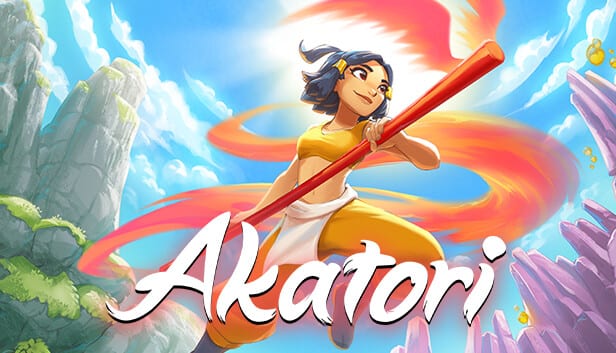
Planning a PC day-one purchase on August 5, 2026? Contrast Games published minimum and recommended specifications on the Akatori Steam store page. This tool page copies those requirements into a scannable reference, explains what each tier means for a momentum metroidvania, and links to wiki guides if you need to upgrade hardware or compare against the demo you already installed.
Console specs are not detailed pre-launch—use Platforms for PS5 and Xbox timing instead.
Minimum requirements
| Component | Spec |
|---|---|
| OS | Windows 10 (64-bit) version 21H1 (build 19043) or newer |
| CPU | Intel Core i3-6100 |
| RAM | 6 GB |
| GPU | NVIDIA GeForce GT 740 DDR3 (2 GB VRAM) |
| Storage | 10 GB available space |
| Architecture | 64-bit processor and operating system required |
What minimum really means: Akatori mixes 2.5D pixel art with 3D environments and fast traversal. A GT 740 class GPU may run the game at lower settings but struggle with frame pacing during glide-heavy sections—critical for a momentum game. If your laptop barely meets minimum, test the free Steam demo first and watch for stutter in bamboo and Serpent chase sequences.
Recommended requirements
| Component | Spec |
|---|---|
| OS | Windows 10 (64-bit) version 21H1 (build 19043) or newer |
| CPU | Intel Core i5-3470 |
| RAM | 8 GB |
| GPU | NVIDIA GeForce GTX 1050 (2 GB) or AMD Radeon R9 380 (2 GB) |
| Storage | 10 GB available space |
| Architecture | 64-bit processor and operating system required |
What recommended targets: Stable 60 fps at 1080p on low-to-medium settings is a reasonable expectation for GTX 1050 / R9 380 class hardware—unverified until independent benchmarks at launch, but aligned with similar indie metroidvanias.
Storage and install planning
Ten gigabytes is modest by modern standards—leave extra space for:
- Shader caches and driver temp files.
- Steam Cloud sync overhead (if enabled).
- Future patches logged on Updates hub.
SSD strongly recommended even though Steam does not mandate NVMe—loading between realms and death retries feel better on solid-state storage.
OS and Windows 11
Listed minimum OS is Windows 10 21H1+. Windows 11 generally runs Win10-targeted games when drivers are current; this wiki does not list separate Win11 rows until Contrast Games adds them officially.
CPU notes
i3-6100 (minimum) versus i5-3470 (recommended) reflects single-thread performance for physics and enemy AI in crowded rooms. AMD equivalents are not printed on Steam—use benchmark sites to compare PassMark scores if you run Ryzen or older FX chips.
GPU notes for integrated graphics
Steam does not certify Intel Iris or AMD APU integrated graphics. Steam Deck and handheld PC players should test the demo at lowest settings before assuming full-game parity. See Keyboard for Steam Deck binding tips.
RAM headroom
Six gigabytes minimum is tight for background browsers and capture software. Streamers should target 16 GB system RAM even though recommended lists eight—OBS plus game plus Discord exceeds recommended quickly.
Display and aspect ratio
Store specs omit ultrawide and 4K guidance. Akatori is a side-scrolling metroidvania—1080p 16:9 remains the safest assumption until launch impressions test 1440p and Steam Deck 800p.
Controller versus keyboard
Requirements do not change by input device. Both are supported in demo builds—read Controller and Keyboard before launch day.
Comparing demo performance to full game
The public demo is smaller but shares traversal systems. If demo framerate dips below 45 fps on your PC, full-game Amber Regions may worsen—consider console Platforms or upgrades before Pre-Order.
Console alternative
If PC specs disappoint, PlayStation and Xbox launch August 12, 2026 with Smart Delivery on Xbox—see Platforms table. Switch 2 waits until 2027.
Keeping specs current
We mirror Steam verbatim. If Contrast Games updates requirements near gold master, run npm run sync after JSON edits and verify with npm run verify:facts if release dates shift simultaneously.
Pre-launch checklist
- Compare your rig to tables above.
- Install demo; stress-test bamboo and underwater zones.
- Update GPU drivers.
- Confirm 64-bit Windows build.
- Free 15+ GB disk space for comfort.
- Bookmark Release countdown for August 5 unlock timing.
Related tools
- Platforms — if PC fails spec, pick another SKU.
- Pre-Order Guide — Xbox Play Anywhere may cover PC entitlement.
- Getting Started — day-one settings after install.
Frequently Asked Questions
Quick answers to the most common questions.
Can Akatori run on Windows 11?
Steam lists Windows 10 64-bit minimum; Windows 11 typically works with updated drivers though it is not explicitly certified yet.
How much storage does Akatori need?
Ten gigabytes per Steam minimum and recommended listings—budget extra for patches.
Is a GTX 1050 enough?
It is the official recommended tier; expect 1080p medium-ish settings pending launch benchmarks.
Are Mac or Linux supported?
Steam lists Windows only at wiki writing time—no macOS or Linux rows.
Where did these specs come from?
Copied from the official Akatori Steam store page maintained by Contrast Games.